Zombie Invasion: T-Virus Walkthrough
Hit like if the Zombie Invasion: T-Virus walkthrough helped you! Thanks :)
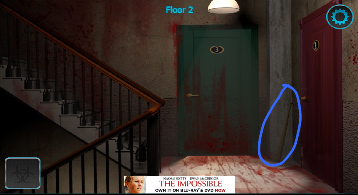
Zombie Invasion: T-Virus Walkthrough:
1. Go up the stairs and pick up the bat. |
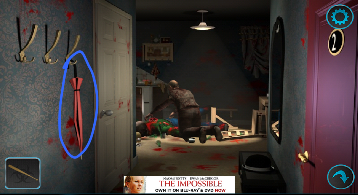
2. Go into room 2.
Take the umbrella. |
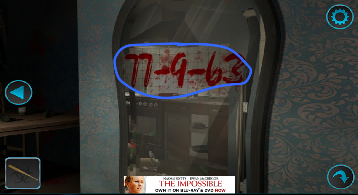
3. Look at the mirror on the right that reads: 77-9-63
Remember the numbers. |
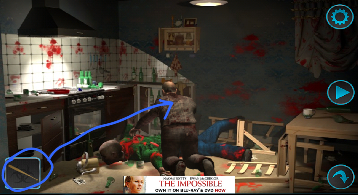
4. Use the bat on the zombie
|
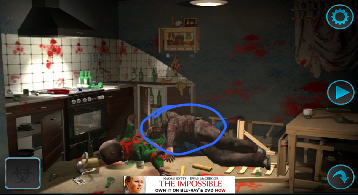
5. Press the zombie to get a key.
|
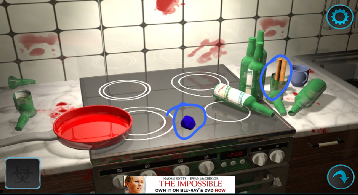
6. Look on the stove and take the blue item. Press on the bottles to break the glass and take the rolled up piece of paper in it.
|
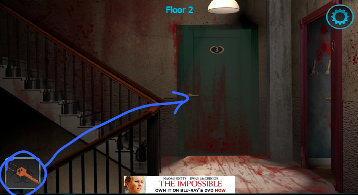
7. Go out and use the key on the doorknob of door 3 to open it.
|
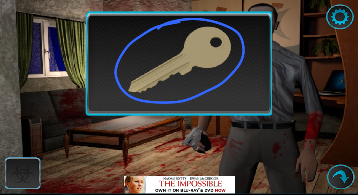
8. Listen to the guy then get the key.
|
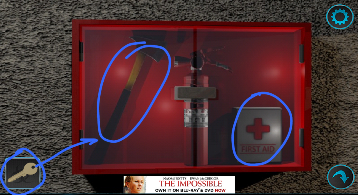
9. Go downstairs and use the key on the emergency box. Take the axe and first aid kit.
|
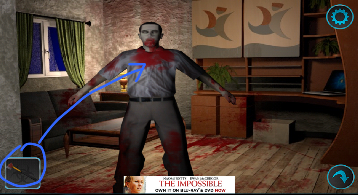
10. Go back to room 3 with the guy. Now that he's a zombie, use the axe on him.
|
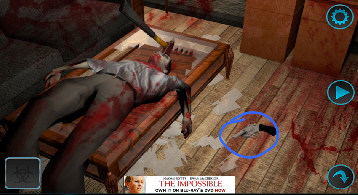
11. Take the gun on the ground next to him.
|
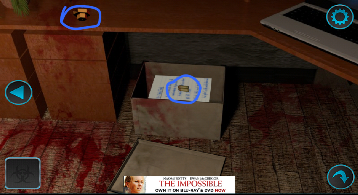
12. Open the box on the ground under the desk, take the bullets AND the piece of paper under it.
Take the orange item on the desk. |
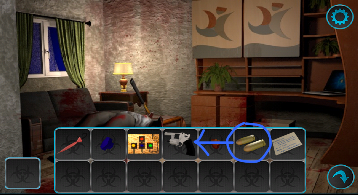
13. Open your inventory and drag the bullets into the gun.
|
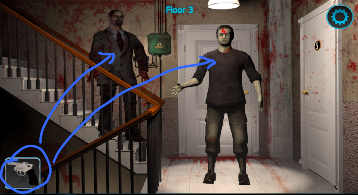
14. Go upstairs and shoot the two zombies.
|
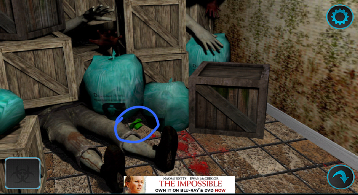
15. Go into room 5 and look at the piles of trash and crates. Take the green item.
|
Zombie Invasion: T-Virus Walkthrough:
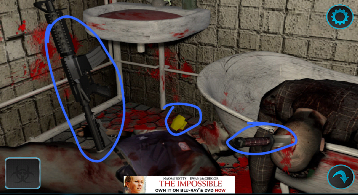
16. Open the door in the room and go inside. Take the assault rifle, knife, and yellow item. |
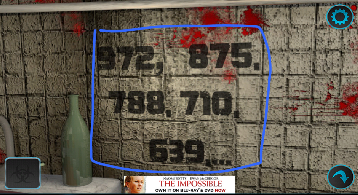
17. Look at the wall to see numbers:
972, 875, 788, 710, 639,... Remember the numbers. |
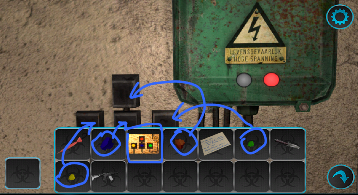
18. Go out and look at the electrical box.
If you look in your inventory at the paper, it shows the correct spots to put the colored items in: Red on top and Yellow, Blue, Green on bottom. This will turn on the power. |
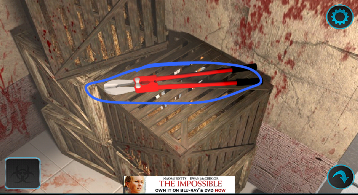
19. Go all the way up to the top floor and pick up the lock cutter.
|
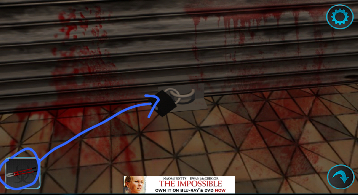
20. Go to the bottom floor and use the lock cutter on the locked shack.
|
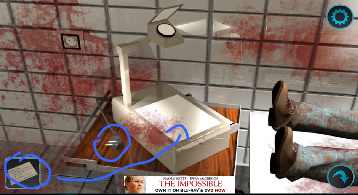
21. Plug in the projector and put the piece of paper you got onto the projector to get numbers: 4428
Remember the numbers. |
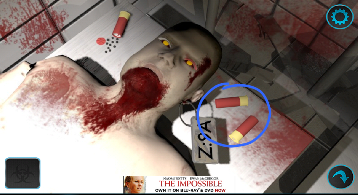
22. Look at the zombie and take the shotgun shells.
|
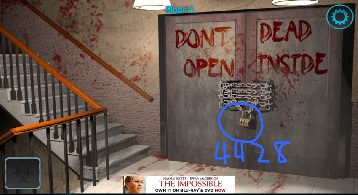
23. Go upstairs to the door with the chains and lock with the "DONT OPEN DEAD INSIDE". Put in 4428 onto the lock to open it.
|
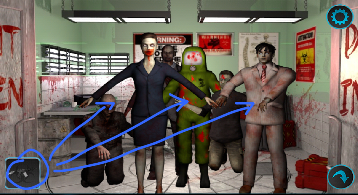
24. Go inside and use the assault rifle to shoot all the zombies.
|
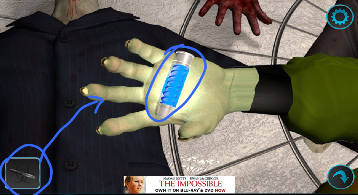
25. Look at the zombie with the biohazard suit and take the blue vial from it's hand.
Use the knife on it's middle finger to take it. |
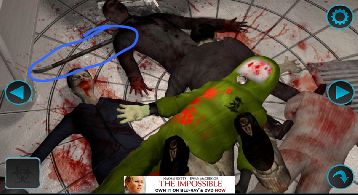
26. Pick up the crowbar.
|
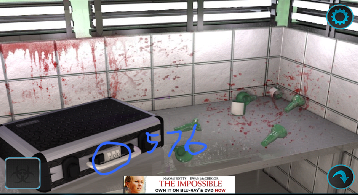
27. Look at the briefcase and put in the correct combination by using the numbers you found earlier.
Figure out the pattern of 972, 875. 788, 710. 639, ??? 972 - 97 = 875 788 - 78 = 710 639 - 63 = 576 Put in 576 into the briefcase and take the crossbow. |
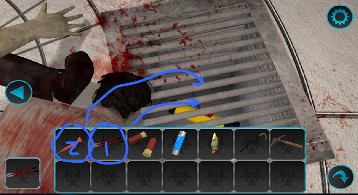
28. Look at the flashlight in the ground and use the lockcutters to cut the bars.
Use the umbrella to pick up the flashlight. |
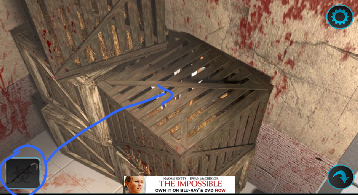
29. Go upstairs and use the crowbar on the crate to open it and take an arrow.
|
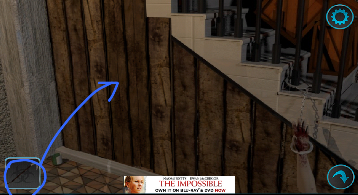
30. Go downstairs and use the crowbar on the boards under the stairs.
|
Zombie Invasion: T-Virus Walkthrough
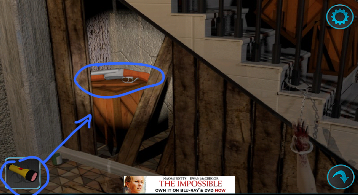
31. Use the flashlight to look inside and take the shotgun. |
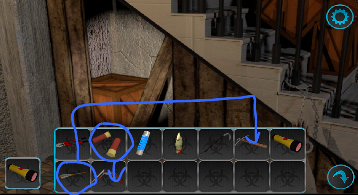
32. Open your inventory and drag the shotgun shells into the shotgun + drag the arrow to the crossbow.
|
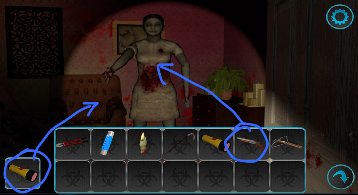
33. Go up and into room 2, and open the white door on the left.
Use the flashlight on the zombie to see it and use your shotgun to shoot it. |
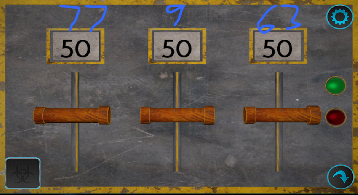
34. Look at the levers and numbers on the wall. Change them to the numbers that was written on the mirror: 77-9-63
|
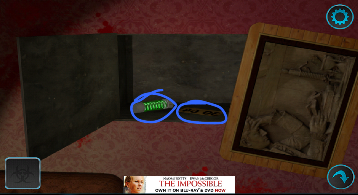
35. Take the green vial inside as well as the piece of paper that shows 3064.
|
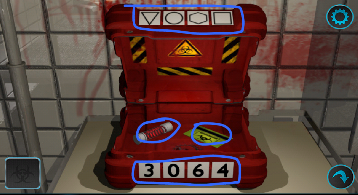
36. Go downstairs to the shack room and look at the red box. Change the shapes on top to Triangle (tap 3 times), Circle (tap 0 times), Hexagon (tap 6 times), and Square (tap 4 times).
Change the numbers to 3064. Take the red vial and keycard. |
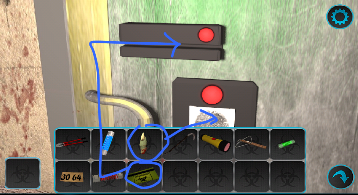
37. Go all the way upstairs. Use the keycard on the keycard slot and the finger you got on the fingerprint scanner.
|
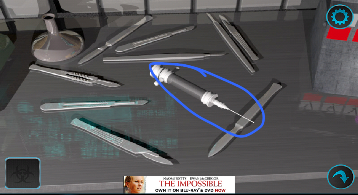
38. Go inside. Take the syringe on the table.
|
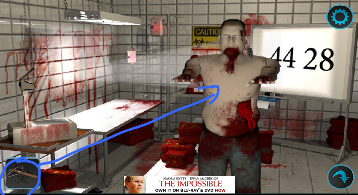
39. Go to the bottom floor and you'll see the zombie is up in the shack.
Use the crossbow on the zombie. |
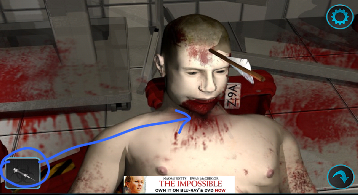
40. Use the syringe on it to get a blood sample.
|
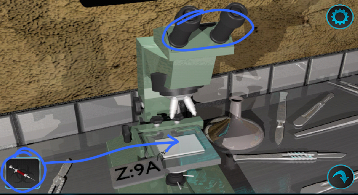
41. Look at the microscope and put the blood sample in the syringe onto the slide. Press the eye piece to look into the microscope and see the colors:
Red, Skyblue, Yellow, Blue |
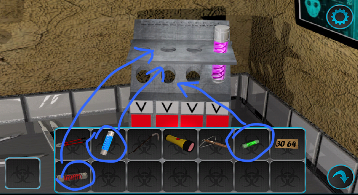
42. Put the 3 colored vials into the slots.
|
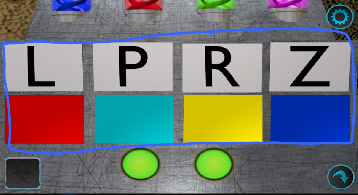
43. Change the letters to LPRZ, and change the colors to red, skyblue, yellow, blue.
|
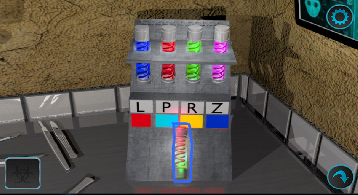
44. Tap the single bottom vial and you're done!
|
Hit like if the Zombie Invasion: T-Virus walkthrough helped you! Thanks :) |